Chrome: Double click dictionary extension

Add the Dictionarist double click dictionary chrome extension to your browser and just double click on a word to view its translations or definitions.

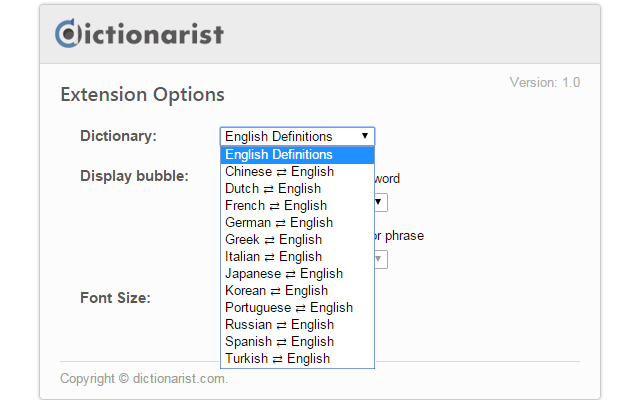
Supported dictionary languages:

English, Spanish, Portuguese, German, French, Italian, Russian, Turkish, Dutch, Greek,  Chinese, Japanese and Korean.

Here is a screenshot:
 dictionary extension

A view from setttings:


Offered by https://www.dictionarist.com/

Comments

Popular posts from this blog

Save All Your Bookmarks Easily

I came across a bookmark website today that you can save and edit your bookmarks easily. Bookmarks are in a table-cell structure with visually drag and drop ability. And there is a chrome extension for bookmarks that you can save your favorite sites with one click. Here is my custom bookmark page  http://www.allmyfaves.com/ugurcatak And here is the link you can join  http://www.allmyfaves.com/join/

What is the difference between backup and back up?

Backup Vs. Back up Backup can be a noun or adjective while back up can be used as a verb. "Where did you put the backup file?" (Adjective) "Where did you put the backup ?" (Noun) "Did you back up the files?" (Verb) (It is written as two words.) Similar example: "Did you clean up your room?" (verb) "There is a cleanup today." (noun) https://www.definition.net/define/backup